

Introduction
Want to know how to create an OnlyFans account and start monetizing your content? You're in the right place.
In this guide, I'll explain step by step how to sign up as a creator on OnlyFans, verify your identity, and set up your payments. In just a few minutes, your account will be ready.
Tip
Setting up a new OnlyFans? Pre-protect it before your first post. Once your content is online, leak hosts (Fapeza, Fapello, Sxyprn, etc.) can scrape your profile within 30-90 days. Adding your stage name to SuppressLeak before launch means we detect and remove any scraped content the moment it appears — not weeks after subscribers find it. Start a free SuppressLeak scan →
Considering multiple platforms? Also check out our guide to creating a MYM account, the French platform that's rapidly growing.
Create Your Account
Sign up at onlyfans.com with your email, Google, or Twitter/X account.
Complete Your Profile
Add your profile picture, cover photo, bio, and external links.
Verify Your Identity
Submit your ID, date of birth, and a verification selfie (24-48h processing).
Set Up Your Payments
Add your bank account and set your subscription price ($4.99-$49.99/month).
Publish Your First Content
Start posting original photos, videos, and text to attract subscribers.
Step 1 — Create Your Account
Go to onlyfans.com and click on "Sign Up".
You can sign up in three ways: with your email address, your Twitter/X account, or your Google account. Email signup is recommended for easier account management.
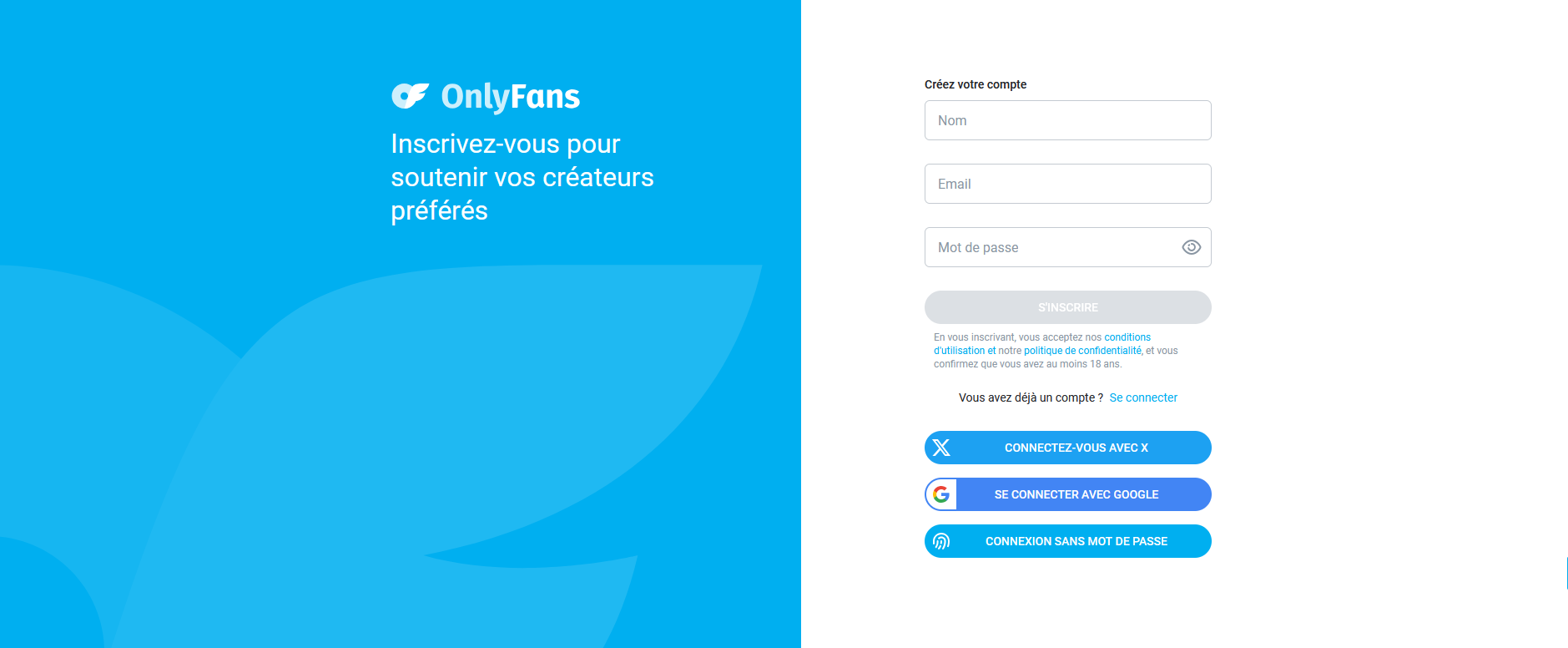
Fill in the requested information: choose a unique username (this will be your URL: onlyfans.com/your-username), create a secure password, and enter your email address.
Click "Sign Up" then verify your email by clicking the confirmation link you'll receive in your inbox.
Important
Choose your username carefully as it will be difficult to change later. Pick something memorable and consistent with your brand.
Step 2 — Complete Your Profile
Once signed up, complete your profile to attract your first subscribers. A polished profile makes all the difference.
Your profile picture is the first thing visitors will see. Choose a quality image that showcases you and makes people want to see more.
Your cover photo (banner) is a larger image representing your universe. Use it to show your style.
Your bio is your sales pitch. Explain in a few lines what subscribers will find on your profile and why they should subscribe. Be creative and highlight what makes your content unique.
External links let you connect your other social networks (Instagram, Twitter, TikTok) so fans can follow you everywhere.
Step 3 — Verify Your Identity
To start posting and receiving money, you must verify your identity. This is a legal requirement to ensure you're at least 18 years old.
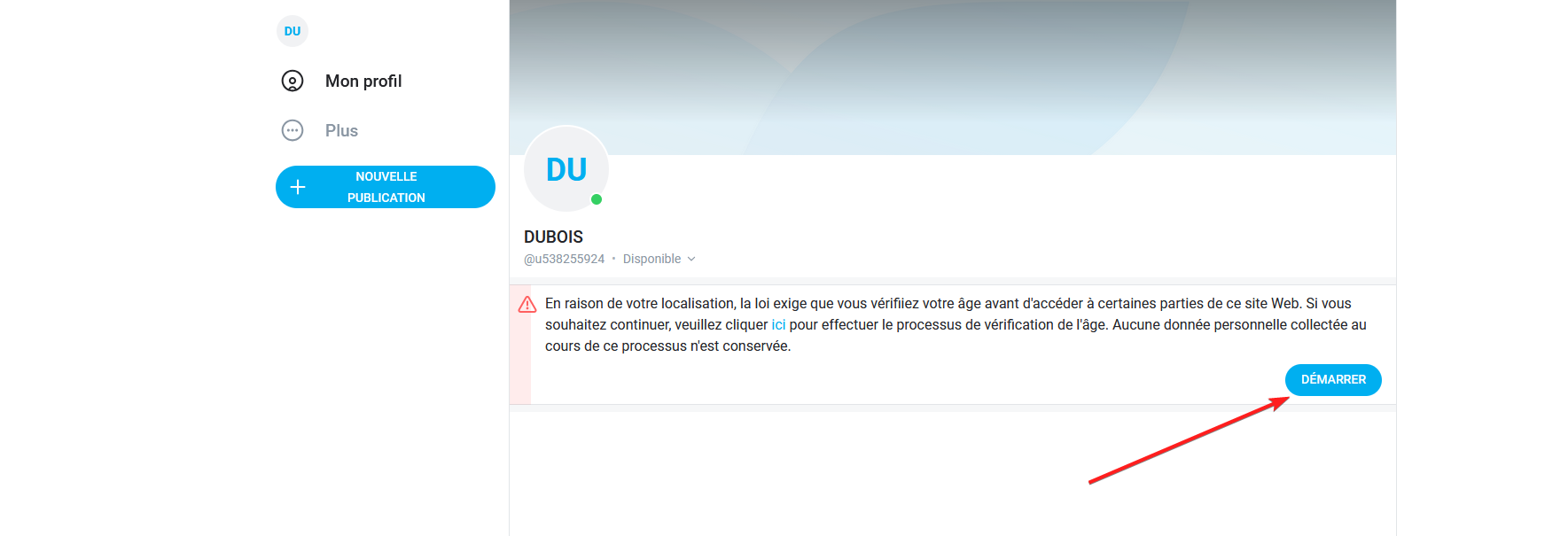
OnlyFans will ask you to provide your full name, date of birth, and a copy of a valid ID (ID card, passport, or driver's license).
You'll also need to take a verification selfie following the on-screen instructions.
Verification typically takes 24 to 48 hours. Be patient—it's a mandatory step for all creators.
Step 4 — Set Up Your Payments
Once your identity is verified, configure your payment options to start receiving your earnings.
Add a bank account to receive payments. OnlyFans offers bank transfers as the primary method.
Set your subscription price between $4.99 and $49.99 per month. If you're starting out, a price between $5 and $10 is recommended to attract your first subscribers. You can raise it later.
OnlyFans takes a 20% commission on all your earnings. So you keep 80% of what your fans spend.
20%
OnlyFans Commission
80%
You Keep
$4.99–$49.99
Price Range/Month
24–48h
Verification Time
Step 5 — Publish Your First Content
Your account is ready—time to publish! Click "New Post" to share photos, videos, or text.
Rules to follow:
Your content must be original. You must appear in your content and only post your own creations.
Post regularly to maintain subscriber interest. Successful creators post at least 2-3 times per week.
Use private messages for more personal interactions with fans, and offer exclusive content in exchange for tips to increase your earnings.
Tip
Leave some free content as a preview so visitors can discover your style before subscribing.
Common Mistakes to Avoid When Starting on OnlyFans
Many creators make the same mistakes at the start. Here's how to avoid them to maximize your success.
Neglecting Your Profile
Your profile is your storefront — if the bio is empty and the photo is blurry, visitors won't stick around long enough to see your content.
Setting Too High a Price at the Start
When you're starting without an audience, a $25 or $30 subscription will scare everyone away. Start between $4.99 and $9.99 to attract your first subscribers, then raise it gradually once you've built a following. Think of the early price as a customer acquisition tool, not a reflection of your content's worth. You can also use limited-time discounts to create urgency without permanently undercutting yourself.
Posting Irregularly
Subscribers pay every month. If they don't see new content for two weeks, they'll unsubscribe. Set a realistic pace — 2 to 3 posts per week minimum — and stick to it.
Ignoring Promotion
No one will find your OnlyFans page by accident. Without active promotion on Instagram, TikTok, Twitter, and Reddit, you're invisible. Successful creators spend as much time promoting as creating — think of it as half the job.
Not Interacting with Subscribers
Answer messages, create polls, ask for opinions. OnlyFans is a relationship platform as much as a content one, and fans who feel a personal connection stay subscribed longer and spend more on tips. The creators who treat their page like a one-way broadcast are the ones who see the highest churn.
Forgetting to Protect Your Content
Your photos and videos can be stolen and shared for free on leak sites. From the start, consider watermarking your content and monitoring for potential leaks.
How Much Can You Earn on OnlyFans?
The honest answer: it varies enormously.
Real Numbers
Most OnlyFans creators earn less than $100 per month. These are often abandoned or inactive accounts.
Regular creators with a small audience earn between $200 and $1,000 per month. It's a good side income.
Serious creators who invest in promotion and post regularly can reach $2,000 to $10,000 per month.
Top creators (top 1%) exceed $50,000 per month, sometimes much more. But they usually have a large audience on other networks before starting.
Concrete Example
Add tips and pay-per-view messages (PPV) which can double your earnings if you're active.
What Makes the Difference
Creators who earn well on OnlyFans have three things in common: they post regularly, they interact a lot with subscribers, and they actively promote their account on other platforms.
Content alone isn't enough. It's real work that requires time and consistency.
Protect Your Content Against Leaks
One of the risks when creating exclusive content? Leaks.
Some ill-intentioned subscribers capture your content and share it for free on Telegram, Reddit, or specialized sites. Unfortunately, this is common on OnlyFans.
Also read: How to Remove Your OnlyFans, MYM, Fansly Leaks — Complete Guide
If you discover your content has leaked, tools like SuppressLeak can help you scan the web to automatically detect your leaks and send removal requests to the sites involved.
Anticipating content protection means protecting your income.
FAQ — Frequently Asked Questions
Is OnlyFans free for creators?
Yes, signup is 100% free. OnlyFans only earns by taking 20% commission on your earnings.
How long does verification take?
Identity verification typically takes 24 to 48 hours. Sometimes longer if documents aren't clear.
Can I stay anonymous on OnlyFans?
Yes. You can use a pseudonym and never show your face if you wish. However, identity verification remains mandatory (this information stays confidential).
How much can you earn on OnlyFans?
It depends on your niche, audience, and consistency. Some creators earn a few hundred euros per month, others exceed €10,000. The key is consistency and promotion on your other networks.
Is there an OnlyFans app?
No, OnlyFans works only in a web browser. Whether on computer or mobile, you access the platform through your browser.
What's the difference between OnlyFans and MYM?
OnlyFans is the best-known international platform, while MYM is a French alternative with similar features. MYM takes 25% commission compared to 20% for OnlyFans. Many creators use both platforms to maximize their earnings.
Conclusion
Creating an OnlyFans account is simple and quick — signup, verification, and your first post can all happen in a single afternoon.
Where most new creators stall isn't the setup; it's the promotion. OnlyFans has no discovery feed or internal search, so every subscriber has to come from your own marketing efforts on social media, Reddit, or collaborations with other creators. Plan for that from day one.
And don't forget to protect your work against leaks early. Check out our guide to removing your leaks if your content gets stolen.
Prefer a French platform? Discover how to create a MYM account — the French platform offering similar features to OnlyFans.
Protect Your OnlyFans Content
Automatically detect and remove leaked photos and videos from 1,500+ sites. Scan your username for free.
Need Help Protecting Your Content?
👉 Discover SuppressLeak to automatically monitor and remove your stolen content from the web.
We're available 7 days a week to help: Contact us on WhatsApp
Your content has value. Protect it with SuppressLeak.


